
Android Predictive Back Gesture
Android 14 introduced Predictive Back, allowing users to preview where they will navigate before the back action is committed. Unlike the traditional back gesture, Predictive Back provides real-time gesture progress so applications can animate their UI while the user is dragging. React Native currently doesn’t expose these native progress callbacks, making it impossible to reproduce Material Design’s Predictive Back animation using JavaScript alone. This implementation bridges Android’s native back dispatcher into React Native and recreates the Predictive Back experience using Reanimated, Gesture Handler, and React Navigation.Preview
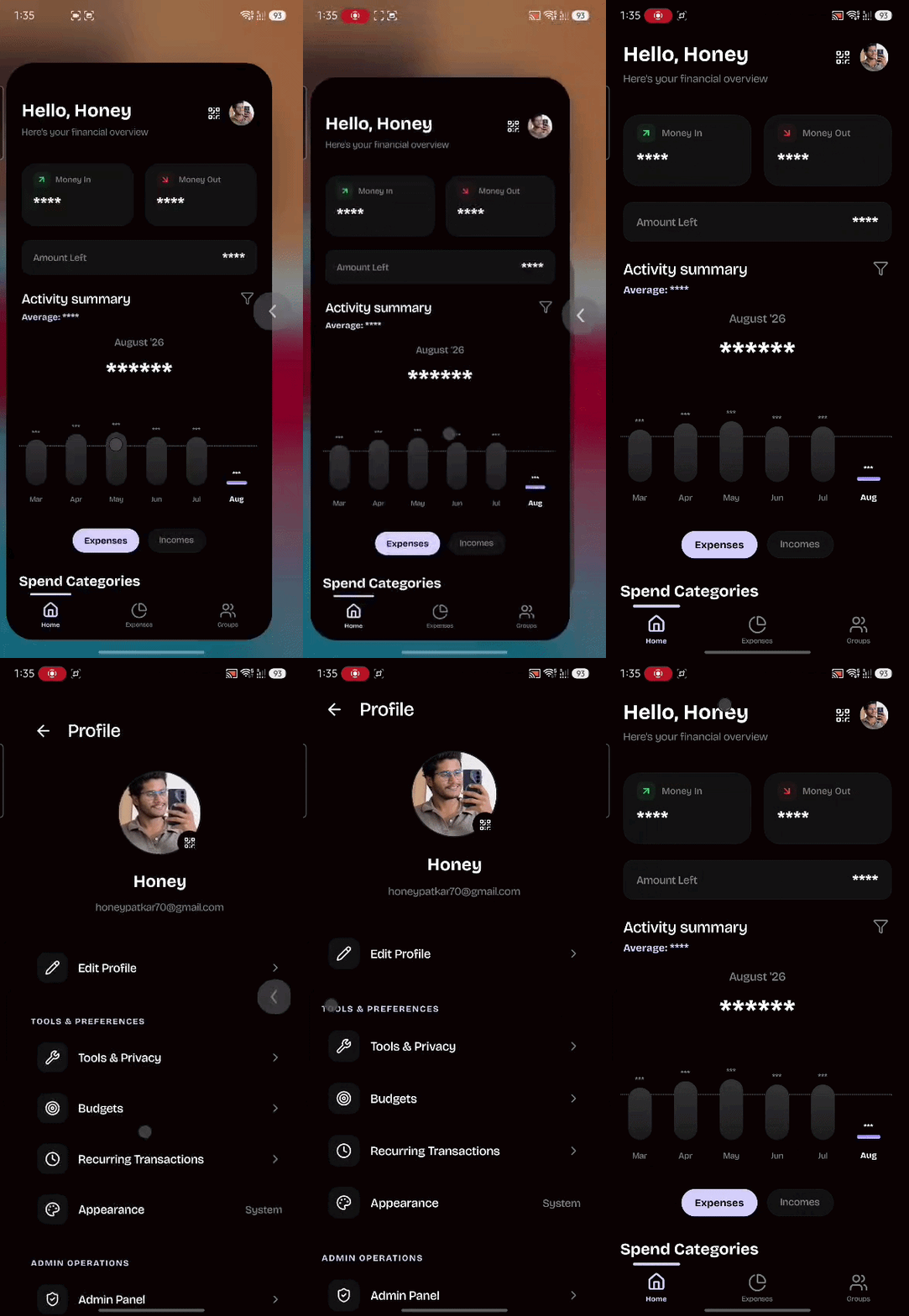
Features
Native Android Support
Uses Android’s native
OnBackPressedDispatcher to receive Predictive Back events.Android 14 Progress
Supports live gesture progress on Android 14 and newer.
Older Android Support
Falls back to a smooth timed animation on Android 13 and below.
React Navigation
Works seamlessly with React Navigation.
Gesture Cancellation
Cancelling the gesture restores the screen exactly where it started.
Material Animation
Matches Google’s Material Design Predictive Back animation.
Back To Home
Preserves Android’s native Home animation on the root screen.
Haptic Feedback
Optional haptic feedback when the back gesture commits.
Demo
How It Works
The complete flow looks like this.SwipeableScreen consumes those events and updates the animation entirely on the UI thread using Reanimated.
Architecture
Compatibility
Files
Installation
Requirements
Android Dependency
Add the Activity library.Android Manifest
Enable Predictive Back inside your application.Register Native Package
InsideMainApplication.kt
Explore the Source
/View on GitHub
Browse the complete source code, native implementation, and React Native integration.
Get Started with NPM
Install the package from NPM and explore its native Android implementation and React Native integration.